Reordering an earlier print job should be simple. Your printer already knows the product, the artwork exists, and you may even remember the quantity you ordered. It is tempting to send a quick message saying, “Please print the same thing again.”
Sometimes that is exactly the right instruction. But an automatic repeat can also reproduce an old phone number, an outdated logo, an employee who has left, a form that no longer matches the way your office works, or a quantity that no longer offers the best value.
Before reordering business cards, brochures, forms, signs, labels or other printed materials, take a few minutes to review the job. A thoughtful reorder is usually faster and less expensive than discovering a problem after production.

Start with the information people will use
Read the piece as though you were seeing it for the first time. Do not rely on memory or assume that familiar-looking information is still correct.
Check details such as:
- Business name and tagline
- Phone numbers, email addresses and website
- Physical and mailing addresses
- Hours of operation
- Employee names, titles and credentials
- Prices, dates, policies and disclaimers
- Social-media handles
- License, permit or account numbers
Pay special attention to information that customers may act on. A beautiful brochure with the wrong phone number is not merely imperfect—it can send business elsewhere. If several people use the printed piece, ask the appropriate staff member to review it too.
Confirm that you have the correct artwork version
File names such as final.pdf, final-new.pdf and final-revised-2.pdf are not reliable version control. When artwork has been exchanged through email over several years, it is easy for a customer or printer to retrieve the wrong attachment.
Whenever possible, identify the previous job by invoice number, order number, date or a clear description. If you are supplying revised artwork, give it a meaningful filename that includes the product and revision date.
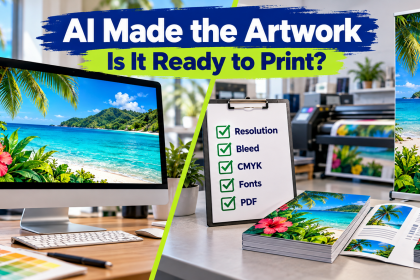
Do not assume that opening successfully means a PDF is ready for production. Adobe notes that professional preflight checks can identify issues involving fonts, colors, transparency, image resolution, ink coverage and PDF compatibility. A printer’s review helps confirm that the revised file still matches the intended size, bleed and production method.
Ask whether the piece still does the same job
A reorder is a useful moment to reconsider the purpose of the product.
Perhaps your rack card originally introduced the business, but customers now need a service list. Maybe a carbonless form includes fields your staff no longer uses while omitting information they repeatedly write in by hand. A property sign may need a larger phone number because most people see it from a vehicle. A business card might work harder with a QR code or a clearer appointment instruction.
This does not mean every reorder needs a redesign. Consistency is valuable. The goal is to notice when the business or the way customers interact with it has changed.
Revisit the quantity
The quantity that made sense last time may not be right today.
Ordering more can reduce the cost per piece, but the lowest unit price is not always the best overall decision. Materials containing prices, staff names, event dates or frequently changing information may become obsolete before a large supply is used. Conversely, repeatedly placing very small rush orders can increase cost and create avoidable gaps in inventory.
Consider:
- How quickly the previous supply was used
- Whether demand is seasonal
- How likely the content is to change
- Where the materials will be stored
- Whether an upcoming event or campaign will increase usage
- How much lead time a future reorder will require
For items used regularly, set a reorder point before the last box is opened. This is especially helpful in the Virgin Islands, where production and transportation time must be included in the schedule.
Verify the material and finishing
Paper, sign substrates, coatings and finishing choices affect appearance, durability, writing performance and cost. If the last product performed well, the previous specification is a good starting point—but it may not always be available unchanged.
Manufacturers can discontinue or rename stocks, and production methods may change. A suitable alternative may have a different shade, texture, thickness or finish. If matching an older piece is important, provide a physical sample and explain what must remain consistent.
Also consider whether the original specification was truly successful. Did ink smear when people wrote on the card? Did a gloss coating make a form difficult to complete? Did a temporary outdoor sign remain in service much longer than intended? A reorder is the right time to correct those issues.
Test anything that must function
Some printed elements need more than visual proofreading.
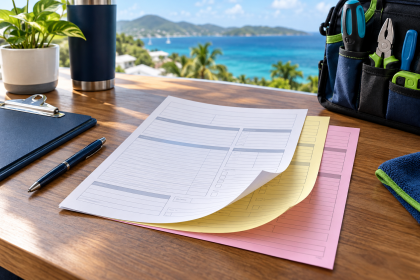
Scan QR codes from the actual proof and confirm that they open the correct page. Dial phone numbers. Type web addresses into a browser. Review numbering sequences on tickets or forms. Confirm that envelopes, window positions, folds, perforations, labels and multipart sets still fit the documents or equipment with which they will be used.
If the piece will be mailed using a permit imprint or another postal specification, do not casually copy an old layout. USPS requirements govern the content and placement of permit indicia, and the applicable mailing details should be confirmed before printing.
Request a proof—and treat it as a new decision
Even when the instruction is “same as last time,” review the current proof carefully. The proof is your opportunity to verify content, layout and specifications before the job enters production.
Compare it with the previous piece, but also read it independently. Check names, numbers, page order, folds, front-and-back orientation, color expectations and finishing notes. Adobe’s print-production guidance distinguishes between file inspection, output preview and physical proofing because each can reveal different issues. Your printer can flag apparent technical concerns, but only you know whether the content itself is current and correct.
A smart reorder protects your investment
Reordering should be convenient, not careless. A short review can preserve brand consistency while preventing yesterday’s information or specifications from being reproduced in a new batch.
Caribbean Printing & Marketing keeps order history and can help identify the earlier product, quantity and specifications. Our concierge-style guidance is especially useful when you are unsure whether to repeat the job exactly, update the artwork, change the quantity or choose a different material.
Ready to reorder? Send CPM the previous invoice or order number if available, tell us what you want to replenish, and note anything that may have changed. We will help you confirm the details before production.